
Logical Wings Services

Web Development Company For Startups

Web Development Company For Startups in India

Key Takeaways A startup website can look polished and still lose customers through slow pages, unclear messaging, and broken mobile flows. Google’s mobile page speed research shows bounce probability climbs steeply as load time stretches from one second toward ten, which makes speed a revenue problem rather than a technical detail. Most teams review their site on fast laptops and office Wi-Fi, which hides the problems real visitors hit on mid-range phones and patchy connections. A day of downtime costs more than missed sales, because paid clicks, search visibility, and early customer trust all take a hit at once. The right web development company for a startup builds for measurable conversions and easy maintenance, not just a good-looking launch. Most startup websites don’t fail loudly. They fail quietly, in an analytics dashboard nobody opens, while founders assume slow sales are a product or pricing problem. Before you hire a web development company to rebuild everything, or decide you don’t need one at all, it helps to know what a leaking website actually looks like. This guide walks through the warning signs, the real costs behind them, and how to choose a partner who fixes the causes instead of repainting the surface. Seven Signs Your Website Is Quietly Losing Customers You don’t need a full audit to know something is wrong. These signals show up in tools you probably already have, like Google Analytics, Google Search Console, and your CRM. Your pricing or product pages have the highest exit rates on the site. These are the pages visitors reach when they’re seriously considering you, so heavy drop-off here usually points to unanswered questions, confusing plans, or a missing next step. Traffic is growing, but signups and demo requests aren’t. More visitors with flat conversions means you’re attracting attention without earning action, which is almost always a messaging or page-structure issue rather than a marketing one. People start your forms and abandon them. If your form tool or analytics shows lots of field interactions but few submissions, you’re asking for too much, asking too early, or breaking something on certain browsers. Your sales team keeps answering questions the website should answer. When prospects ask about integrations, security, or onboarding on every call, your site isn’t doing its job as a pre-sales tool. Mobile conversion rates trail desktop by a wide margin. Some gap is normal for B2B, but a large one usually means the mobile experience is harder to use than anyone on your team realizes. Search Console flags pages as “Poor” in the Core Web Vitals report. That report uses field data from real Chrome users, so it reflects what visitors experience rather than what your laptop shows you. Small content changes require a developer ticket. When updating a headline takes a week, pages go stale, experiments stop, and marketing stops trusting the website as a growth channel. If three or more of these sound familiar, the issue is structural. A fresh coat of design won’t fix it. Why Your Site Looks Fine but Doesn’t Generate Leads Founders often judge their website the way they’d judge a pitch deck: does it look credible? That’s the wrong test. Visitors don’t grade your design; they scan for whether you solve their problem and how easy it is to find out more. Here’s a common pattern. Picture a hypothetical startup selling route-planning software to regional delivery companies. Its homepage headline reads something like “Intelligent logistics for the modern era.” It’s polished, the animations are smooth, and the investors liked it. But the operations managers who actually buy this kind of tool are searching for ways to cut failed deliveries and fuel costs. They land, see nothing that mirrors their problem, and leave within seconds. The fix in cases like this is rarely a redesign. It usually comes down to a handful of decisions: Lead with the outcome your buyer cares about, in their words. Pull phrases from sales calls and support tickets, because those reflect how customers describe the pain they want solved. Offer more than one way to take the next step. “Book a demo” is a big commitment for someone who just found you, so a lower-friction option like a product tour, a pricing calculator, or a short guide keeps early-stage visitors in your funnel. Put proof near the decision points. Logos, short testimonials, or integration badges work best beside the call to action, not buried on a separate page nobody visits. Cut form fields to what sales truly needs at first contact. You can enrich lead data later, but you can’t recover a visitor who quit on field number nine. A good web development solution treats these as engineering requirements, not copywriting afterthoughts. That means building pages that marketing can test and update without a release cycle. The Hidden Cost of a Slow Website Speed feels like a technical metric until you see what it does to behavior. Google’s research on mobile page speed, published through Think with Google, found that bounce probability rises sharply as load time increases: Page load time change Increase in bounce probability 1 second to 3 seconds 32% 1 second to 5 seconds 90% 1 second to 6 seconds 106% 1 second to 10 seconds 123% Those figures describe mobile visits across industries, so your exact numbers will differ. The direction won’t. Every extra second filters out visitors who were interested enough to click but not patient enough to wait. The hidden cost shows up most clearly in paid acquisition. You pay for an ad click whether or not the page finishes loading. If a meaningful share of paid visitors bounce before your hero section renders, your real cost per lead is higher than your ad dashboard suggests, and you might cut a channel that would work fine on a faster page. Startup sites tend to get slow for predictable reasons. Third-party scripts pile up over time: chat widgets, heatmaps, multiple analytics tags, A/B testing tools, and marketing pixels, each added by a different person

Web Development Company For Startups in India Read More »

Digital Marketing service, Logical Wings Services
Business Intelligence vs Data Analytics

Business Intelligence vs Data Analytics: What Your Company Actually Needs

Here’s a stat that should stop you mid-scroll: companies using data-driven decision-making are 23 times more likely to acquire customers and 6 times more likely to retain them, according to McKinsey research. Yet most executives still can’t clearly explain the difference between business intelligence and data analytics, let alone tell you which one their company actually needs right now. That confusion costs money. Teams buy business intelligence solutions when they need predictive modeling. Others hire analysts when a simple dashboard would solve the problem. This post breaks down both disciplines in plain terms, shows you what each one delivers, and helps you figure out where to put your next budget dollar. By the end, you’ll know exactly what business intelligence solutions bring to your operations, what data analytics services India providers offer that local vendors often can’t match, and how to evaluate any partner you’re considering. Business Intelligence vs. Business Data Analytics: Which One Does Your Business Need? Every business generates data—from sales and customer interactions to inventory, finance, marketing, and employee performance. The real challenge isn’t collecting data; it’s turning that data into smarter business decisions. Many business owners and decision-makers often hear the terms Business Intelligence (BI) and Business Data Analytics (BDA) used interchangeably. While both help organizations make data-driven decisions, they serve different purposes and deliver different business outcomes. Understanding the difference between Business Intelligence and Business Data Analytics can help you invest in the right technology, improve operational efficiency, and gain a competitive advantage. What is Business Intelligence? Business Intelligence (BI) is a technology-driven process that collects, organizes, analyzes, and presents business data in an easy-to-understand format. It helps organizations monitor performance using dashboards, reports, KPIs, and visualizations. The primary goal of business intelligence is to answer questions like What happened? How is the business performing? Which department is performing better? Which products generate the highest revenue? What are our monthly or yearly sales trends? Business intelligence combines data from multiple sources, including ERP systems, CRM software, HRMS, accounting software, and spreadsheets, into a single dashboard for faster decision-making. Benefits of Business Intelligence Real-time business dashboards Faster executive reporting Better KPI tracking Improved operational visibility Data-driven business decisions Reduced manual reporting Enhanced collaboration across departments What is Business Data Analytics? Business Data Analytics is the process of examining historical and current business data using statistical methods, machine learning, predictive models, and data science techniques to identify trends, discover hidden patterns, and forecast future outcomes. Instead of simply showing what happened, data analytics answers deeper business questions such as: Why did sales decline? Which customers are likely to leave? Which products should we promote next quarter? What factors affect profitability? What will demand look like next month? Business Data Analytics enables organizations to make proactive decisions rather than reactive ones. Benefits of Business Data Analytics Predict future business trends Identify customer behavior patterns Improve forecasting accuracy Optimize pricing strategies Reduce operational risks Support strategic planning Increase business profitability Business Intelligence vs. Business Data Analytics Feature Business Intelligence (BI) Business Data Analytics (BDA) Primary Purpose Monitor business performance Predict future outcomes and discover insights Main Question What happened? Why did it happen and what will happen next? Focus Historical and current data Historical, current, and predictive data Decision Type Operational decisions Strategic decisions Reports Dashboards, KPIs, standard reports Predictive models, forecasting, statistical analysis Data Complexity Moderate High Technologies Power BI, Tableau, Looker, Qlik Python, R, SQL, Machine Learning, AI platforms Users Business owners, executives, managers Data analysts, business analysts, data scientists Output Performance monitoring Predictive insights and recommendations Business Value Improves visibility and reporting Improves forecasting and long-term planning Which Works Better? The better choice depends on your business goals. If your objective is to monitor performance, automate reporting, and gain real-time visibility into your operations, Business Intelligence is the ideal solution. If your goal is to predict customer behavior, forecast demand, optimize operations, and uncover hidden opportunities, Business Data Analytics provides greater strategic value. However, for most modern organizations, choosing one over the other is not the best approach. Business Intelligence and Business Data Analytics complement each other. Business Intelligence tells you what is happening, while Business Data Analytics explains why it happened and what is likely to happen next. For example: A BI dashboard shows that sales dropped by 15% this quarter. Data Analytics identifies the reasons behind the decline and predicts which customer segments are most at risk of leaving. Management can then take targeted actions before revenue is affected further. Businesses that combine Business Intelligence with Data Analytics are better equipped to make faster decisions, improve customer experiences, reduce costs, and stay ahead of competitors. Business Intelligence Solutions: What They Actually Deliver Business intelligence is about understanding what already happened in your business. It takes historical data, organizes it, and presents it through dashboards, reports, and scorecards so leadership can make faster, informed decisions. A retail chain using business intelligence solutions might track daily sales by store location, compare inventory turnover across regions, or flag underperforming product lines within hours instead of weeks. That’s the core value: speed and clarity on what’s already happened. Here’s what a solid BI implementation typically includes: Interactive dashboards built through tools like Power BI, Tableau, or Looker Automated reporting that eliminates manual spreadsheet work Role-based access so executives, managers, and frontline teams see relevant metrics Data visualization services that turn raw numbers into charts anyone can interpret in seconds Data warehousing and integration from multiple sources (CRM, ERP, POS systems) Data Analytics Services India: Why Global Companies Are Outsourcing Here Data analytics goes a step further than BI. Instead of just showing you what happened, it answers why it happened and what’s likely to happen next. This is where statistical modeling, machine learning, and predictive analytics come into play. India has become one of the largest hubs for data analytics services globally, and it’s not just about cost. The country produces over 2.5 million STEM graduates annually, and its analytics talent pool has deep experience across finance,

Business Intelligence vs Data Analytics: What Your Company Actually Needs Read More »

Logical Wings Services
Web development company in India

Is web dev still worth it in 2026?

Is web dev still worth it in 2026? What Services Do Web Developers Offer?  Most business owners find out what a web developer actually does the hard way — usually after paying for a “custom website” that turns out to be a template with their logo dropped on top. I’ve seen it happen to smart, experienced executives who simply didn’t know which questions to ask before signing a contract. That gap in knowledge costs real money. A CMO budgets for a marketing site and ends up needing a database integration nobody scoped. A CTO inherits a “finished” web app that has no documentation and no test coverage. These aren’t edge cases — they’re what happens when businesses hire without understanding the full scope of web development services. This guide breaks down exactly what web developers do, what separates a real development service from a website-building shortcut, and how to evaluate a custom web development company in Ahmedabad or a custom web development company in India without getting lost in technical jargon you shouldn’t need a computer science degree to understand. What Is Web Development? Web development is the work of building and maintaining websites and web applications — everything from the visual layout a visitor sees to the server logic and databases running behind the scenes. It splits into three broad areas: frontend (what users see and interact with), backend (the server, database, and application logic), and full-stack (developers who handle both). It’s easy to confuse web development with web design, but they’re not the same discipline. Design is about how something looks and feels. Development is about how it actually works — whether a checkout page processes payments correctly, whether a form submission reaches the right database, or whether the site loads fast enough that visitors don’t leave before it renders. A beautiful design with poor development behind it is still a broken product. What Services Do Web Developers Provide? This is where scope gets misunderstood most often. A web developer’s job isn’t limited to writing code for a homepage. Depending on the engagement, services typically include: Frontend development — building the interface users interact with, using HTML, CSS, JavaScript, and frameworks like React or Vue Backend development — server-side logic, databases, and APIs that power the site’s functionality E-commerce development — shopping carts, payment gateway integration, inventory syncing Web application development — custom tools like client portals, booking systems, or internal dashboards API integrations — connecting a website to CRMs, payment processors, or third-party services Performance optimization — making sure pages load quickly across devices and connections Security implementation — SSL, data encryption, protection against common vulnerabilities Ongoing maintenance — updates, bug fixes, and monitoring after launch The mistake most businesses make is assuming they only need one of these. A functional e-commerce store, for instance, almost always needs backend development, payment integration, and security working together — not just a shopfront design. What Is a Web Development Service? A web development service is a structured engagement where a developer or agency handles the technical build of your website or application, typically following a defined process rather than an ad hoc arrangement. A properly run service includes: If a provider skips straight from a quick call to a price quote without any discovery step, that’s usually a sign you’re getting a template, not a genuine development service. Real scoping takes time because real requirements are rarely simple. What Are the Top 3 Website Builders? Not every business needs custom development from day one. For simpler needs — a small business site, a portfolio, an early-stage landing page — website builders can be a reasonable starting point. The three most established options are: Builder Best For Key Trade-Off WordPress Content-heavy sites, blogs, businesses wanting long-term flexibility Requires more setup and plugin management than closed-platform builders Shopify E-commerce businesses needing a fast, reliable storefront Less flexible for complex, non-retail functionality Squarespace Design-focused small businesses and portfolios Limited customization for advanced functionality The honest caveat: website builders work well until your business outgrows them. Once you need custom workflows, complex integrations, or performance at scale, most companies eventually migrate to custom development. Knowing that upfront saves you from rebuilding twice. Why Is Web Development Important for Businesses? Your website is frequently the first, and sometimes only, interaction a potential customer has with your business before deciding whether to trust you. Poor development undermines that trust in ways that are easy to miss internally but obvious to visitors — slow load times, broken forms, checkout errors, or a site that looks fine on desktop but falls apart on mobile. Beyond first impressions, solid development directly affects revenue. E-commerce businesses lose sales to slow checkout flows. Service businesses lose leads to broken contact forms. B2B companies lose credibility when a site looks outdated next to competitors. Development isn’t a cost center — it’s infrastructure that either supports growth or quietly undermines it. Frequently Asked Questions 1. What is the difference between web design and web development? Web design focuses on the visual layout and user experience. Web development is the technical build that makes the site function — forms, databases, integrations, and backend logic. 2. How much does web development cost? Costs vary widely based on complexity. A simple business website costs far less than a custom web application with integrations, databases, and ongoing maintenance. Get a scoped quote after a discovery conversation rather than relying on a flat estimate. 3. Do I need a custom website, or is a website builder enough? Website builders work well for simple sites with standard functionality. Custom development becomes necessary once you need specific workflows, complex integrations, or performance that off-the-shelf platforms can’t support. 4. How long does it take to build a website? A basic site can launch in a few weeks. A custom web application with backend logic and integrations often takes several months, depending on scope. 5. What should I ask a web development company before hiring them? Ask about their discovery

Is web dev still worth it in 2026? Read More »

Logical Wings Services
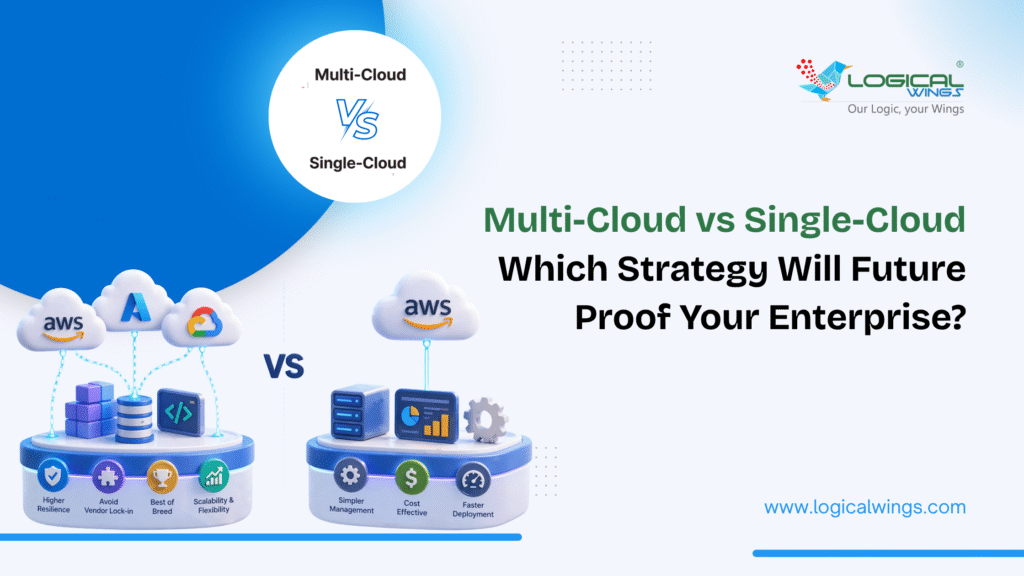
Multi-Cloud vs Single-Cloud Which Strategy Will Future-Proof Your Enterprise

Multi-Cloud vs Single-Cloud: Which Strategy Will Future-Proof Your Enterprise?

In today’s rapidly evolving technology landscape, choosing between Multi-Cloud vs Single-Cloud strategies has become one of the most critical decisions enterprise leaders face. As organizations accelerate their cloud migration services initiatives, the stakes have never been higher. Your cloud services architecture doesn’t just impact your current operationsit fundamentally shapes your organization’s agility, resilience, and competitive positioning for years to come. The debate between multi-cloud and single-cloud approaches isn’t simply a technical consideration. It’s a strategic business decision that influences everything from operational costs and vendor relationships to innovation velocity and regulatory compliance. Some enterprises swear by the simplicity and deep integration of a single-cloud strategy, while others champion the flexibility and risk mitigation inherent in multi-cloud deployments. This comprehensive guide examines both cloud strategies in depth, providing enterprise decision-makers with the practical insights needed to determine which approach will genuinely future-proof their organizations. Whether you’re embarking on your first cloud migration or reconsidering your existing cloud services architecture, understanding the nuances of each strategy is essential to making an informed choice. What Is a Single-Cloud Strategy? A single-cloud strategy means committing your organization’s cloud infrastructure, applications, and services to one primary cloud providerwhether that’s Amazon Web Services (AWS), Microsoft Azure, Google Cloud Platform (GCP), or another major vendor. This approach consolidates your cloud services under a unified ecosystem, creating a standardized environment where all workloads run on the same platform’s infrastructure. In practice, a single-cloud strategy doesn’t necessarily mean you exclusively use one provider for absolutely everything. Many organizations maintain hybrid environments where on-premises systems coexist with their chosen cloud provider. However, the defining characteristic is that when moving to the cloud, all workloads migrate to the same vendor’s platform, creating a homogeneous cloud environment. This consolidation strategy appeals to organizations seeking deep platform expertise, streamlined operations, and maximum leverage of a single vendor’s integrated toolset. Companies pursuing single-cloud approaches typically negotiate comprehensive enterprise agreements with their chosen provider, often securing volume discounts and dedicated support in exchange for commitment. The single-cloud model has historically dominated cloud adoption patterns, particularly among enterprises making their initial cloud migration. The perceived simplicity of mastering one platform’s services, APIs, and management toolsrather than juggling multiple provider ecosystemsmakes this approach intuitively appealing to many IT leaders and their teams. Benefits of a Single-Cloud Strategy Organizations that successfully execute a single-cloud strategy often realize significant advantages across operational, financial, and technical dimensions: Simplified Operations and Management Managing a single cloud environment dramatically reduces operational complexity. Your IT teams develop deep expertise in one platform’s tools, services, and best practices rather than spreading their knowledge across multiple providers. This specialization accelerates problem resolution, optimizes resource utilization, and enables teams to leverage advanced platform-specific features that might remain underutilized in a multi-cloud scenario. Cost Predictability and Volume Discounts Consolidating spending with one cloud provider strengthens your negotiating position. Enterprise agreements typically offer tiered pricing that rewards commitment with substantial volume discountsoften 20-40% below list prices for large deployments. Additionally, single-cloud environments simplify cost management and forecasting since you’re working with one billing system, one set of pricing models, and one relationship to optimize. Seamless Integration and Interoperability Cloud providers design their services to work together seamlessly within their ecosystem. In a single-cloud environment, data flows naturally between compute, storage, database, analytics, and AI services without the integration complexity inherent in multi-cloud architectures. This native integration accelerates development velocity and reduces the engineering effort required to build robust solutions. Reduced Skill Requirements and Training Costs Training teams on one cloud platform is substantially more efficient than maintaining expertise across multiple providers. Certifications, professional development, and hands-on experience compound more effectively when focused on a single ecosystem. This specialization also improves recruitment efficiency, as you can target candidates with specific platform expertise rather than requiring multi-cloud proficiency. Streamlined Compliance and Security Posture Maintaining consistent security controls, compliance frameworks, and governance policies is significantly simpler in a homogeneous environment. You implement security best practices once, apply compliance requirements uniformly, and audit against a single set of controls rather than reconciling different security models across providers. Limitations of a Single-Cloud Strategy Despite its advantages, the single-cloud approach introduces risks and constraints that enterprise leaders must carefully evaluate: Vendor Lock-In and Negotiating Leverage Heavy dependence on one cloud provider creates significant switching costs and reduces your negotiating position over time. As your applications become more tightly integrated with provider-specific servicesmanaged databases, serverless functions, proprietary AI toolsmigrating away becomes exponentially more difficult and expensive. This lock-in can limit your ability to negotiate favorable pricing or terms in future contract renewals. Single Point of Failure Risk Even the most reliable cloud providers experience outages. When your entire infrastructure depends on one vendor, a regional or service-level outage can bring your operations to a complete halt. While major providers offer multi-region deployment options, you remain vulnerable to provider-wide issues affecting authentication, networking, or core platform services that span regions. Limited Best-of-Breed Options No single cloud provider excels at everything. AWS might offer the most mature services in certain categories, while Azure integrates more seamlessly with Microsoft enterprise software, and GCP provides superior machine learning capabilities. A single-cloud strategy forces you to accept your chosen provider’s offerings in every category, potentially sacrificing superior capabilities available elsewhere. Regulatory and Compliance Constraints Certain industries face regulatory requirements mandating geographic data residency or provider diversity. If your single cloud provider doesn’t operate compliant infrastructure in required regions, you may face significant compliance challenges. Additionally, some regulations encourage or require workload distribution across providers to mitigate systemic risk. Innovation Limitations Cloud providers innovate at different paces in different areas. By committing to one platform, you may miss breakthrough innovations launched by competitors. Organizations locked into one provider often wait months or years for equivalent capabilities to be developed, potentially ceding competitive advantages to more flexible competitors. What Is a Multi-Cloud Strategy? A multi-cloud strategy involves deliberately distributing your organization’s workloads, applications, and data across two or more cloud providers. Unlike accidental multi-cloud scenarios that result from mergers or departmental

Multi-Cloud vs Single-Cloud: Which Strategy Will Future-Proof Your Enterprise? Read More »

Cloud Migration Services
Why You Need to Use a Family Locator App for Safety

Why You Need to Use a Family Locator App for Safety

In a world where everyone is constantly on the move, staying connected with your loved ones has become more important than ever. From children traveling to school, parents commuting to work, and elderly family members navigating the city, knowing where they are at any moment offers a sense of calm and security. Technology has evolved to meet this growing need, and today, digital safety tools have become essential for every household. One of the most effective solutions is a family locator app, designed to help you monitor your family’s whereabouts in real time. Families often face situations where quick information can prevent stress, confusion, or even danger. Whether it’s checking if your teenage child reached their coaching class safely, ensuring an elderly parent didn’t wander off to an unfamiliar place, or simply knowing when your partner is on the way home, location-sharing tools have turned into reliable safety companions. Yet, many people are unsure which solution works best, how secure these apps are, and whether they are easy enough for parents or even seniors to use. Families searching for the best family tracking app free often prioritize platforms that offer essential features without paid upgrades. Free versions can help you understand how the tool performs before choosing additional functionalities. Looking for an App to Keep Track of Family Members? Families today are juggling multiple responsibilities. Parents commute long distances, children attend classes and activities, and grandparents often travel independently. In such routines, a little visibility goes a long way. This is why more families are looking for a family tracking app that simplifies safety checks without requiring constant phone calls or messages. A tracking tool helps you: Know when someone reaches a location safely Avoid unnecessary worry while your children or parents travel Stay informed during emergencies Organize daily routines more efficiently For households with school-going kids, working parents, or senior members, this simple digital layer of safety makes everyday life more predictable, organized, and stress-free. Family Tracking App + Privacy? Understanding the Balance One of the biggest questions people ask is: “Is my data safe?” This is a valid concern—location information is sensitive and must be protected. A trusted tracking solution must: Encrypt data to ensure no one outside your family circle can view locations Give users full control over when they want to share or stop sharing Prevent unauthorized access Follow strict security guidelines that protect personal information Apps designed with privacy in mind never store or distribute personal location history without consent. Good solutions allow individual members to manage their visibility settings, ensuring transparency and trust within the family. By choosing a reputable provider, families get the advantages of digital safety without sacrificing privacy. Which Android App Can I Use to Keep REAL-TIME Track of My Family? Wings Track Android app helps users to get accurate, immediate updates, not delayed or approximate locations. Real-time tracking matters when: Kids are walking home alone Parents are traveling at night You’re waiting for a family member to arrive at a destination There’s a safety concern and quick action is needed A reliable tool offers: Live location refreshed every few seconds Smooth performance even in crowded or low-network areas Alerts when someone arrives or leaves a defined place Easy monitoring without heavy battery usage If you’re looking for fast, dependable updates instead of slow or outdated location pings, choose an app built specifically for real-time monitoring, not general map sharing. What’s Your Go-To App for Staying Connected with Family? Every family has different needs. Some prioritize safety while traveling, others want assistance for elderly relatives, and some parents simply like knowing their children are safe throughout the day. A good solution adapts to these daily routines and offers features that truly matter: Live tracking to know where everyone is Check-in and arrival alerts for peace of mind Location sharing controls to maintain trust and transparency Emergency notifications for immediate assistance Easy-to-use interface for all age groups Choosing a tool that supports your family’s lifestyle ensures that everyone stays connected without feeling monitored or restricted. Is There Any App Where You Can Share Location History? Yes, some platforms allow users to view past travel data. Location history can be extremely helpful in practical scenarios, such as: Checking your child’s school route Reviewing an elderly parent’s movement if they get confused or lost Tracking daily travel patterns for safety Understanding where a family member spent their time in case of emergencies A responsible app stores history securely and only makes it accessible to authorized users. With transparent settings, families can decide how much history is visible and for how long. Looking for an App Your Mom Can Use? Many people need a simple and clear tool for their parents. An app that’s useful for younger people may not always be suitable for seniors. When choosing a location-sharing platform for older family members, look for: Large buttons and clean design Easy onboarding and sign-in Quick access to SOS or emergency alerts Voice or prompt-based instructions Minimal steps to share or view location The goal is not complexity, it’s comfort. Seniors should feel confident using the app every day, even without deep technical knowledge. What Is the Best App for a Family Locator? The ideal solution is one that combines accuracy, ease of use, and strong privacy. When evaluating options, focus on: Real-time tracking capabilities Battery efficiency Strong data security Intuitive design Customizable location-sharing settings Reliable alerts and emergency tools Smooth performance on both Android and iOS How to Track a Family Member’s Location? Using a tracking tool is simple and secure. Here’s the typical process: Download the app from the Play Store or App Store. Create a private family group where only invited members can join. Invite your loved ones using their phone number or email. Enable location access for accurate updates. View live location on the map whenever needed. Set geofences around important places like home, school, or office. Use the SOS feature for urgent situations. Manage privacy settings to control who

Why You Need to Use a Family Locator App for Safety Read More »

Logical Wings Services
Cloud Migration Trends That Will Dominate in 2026

Cloud Migration Trends That Will Dominate in 2026

The Digital era continues to evolve at an unprecedented pace, and cloud technology remains at the center of this transformation. Over the past decade, businesses have shifted from on-premises infrastructure to cloud-based environments to gain agility, scalability, and cost efficiency. However, as we approach 2026, the cloud migration landscape is expected to undergo another major evolution driven by AI integration, hybrid solutions, automation, and enhanced data security. Companies across industries—from healthcare to finance to retail—are realizing that cloud migration is no longer just about moving data; it’s about modernizing their entire digital ecosystem. According to Gartner, by 2026, over 85% of organizations will embrace a cloud-first strategy, making cloud the new foundation of enterprise IT operations. But what does this mean for enterprises planning their digital transformation journey? What are the emerging cloud migration trends that will shape how organizations innovate, compete, and grow in the coming years? What Is Cloud Migration? Cloud migration refers to the process of moving digital assets—such as data, applications, and workloads—from on-premises servers or legacy systems to a cloud computing environment. It can also involve transferring assets between different cloud platforms (for instance, from AWS to Azure). This process is typically undertaken to achieve better performance, scalability, and cost-efficiency while enabling continuous innovation and automation. Cloud migration can take several forms, such as: Moving databases and storage systems to the cloud Transitioning legacy enterprise software into SaaS models Re-architecting applications to leverage cloud-native technologies like microservices and containers Partnering with experienced cloud deployment specialists ensures that businesses migrate securely, minimize downtime, and optimize performance across hybrid or multi-cloud environments. Overview of Cloud Migration Market Statistics The cloud migration market has seen exponential growth over the past few years—and this momentum shows no sign of slowing down. According to MarketsandMarkets, the global cloud migration services market is projected to reach $29.6 billion by 2026, growing at a CAGR of over 24%. Amazon Web Services (AWS), Microsoft Azure, and Google Cloud Platform (GCP) remain dominant players, but specialized providers are gaining traction in niche sectors like healthcare, fintech, and AI-based analytics. A Statista 2025 forecast suggests that over 60% of enterprise workloads will be hosted on public or hybrid clouds by 2026. The increasing emphasis on AI, edge computing, and data sovereignty will reshape cloud strategies, requiring more intelligent and secure migration frameworks. This market growth reflects not just the adoption of cloud platforms but also the shift toward modernization, automation, and resilience, which are vital in a digital-first economy. What Are the Different Types of Cloud Migration? When businesses plan their migration strategy, they typically choose from several distinct types of cloud migration services, depending on their goals and infrastructure maturity. Here’s a breakdown of the most common models: 1. Rehosting (Lift and Shift) This involves moving applications from on-premises to the cloud without significant modifications. It’s a quick, cost-effective approach ideal for legacy systems. 2. Replatforming Applications are slightly modified or optimized to take advantage of cloud features like auto-scaling or managed databases without full redevelopment. 3. Refactoring (Re-architecting) Applications are redesigned from scratch to be fully cloud-native. This approach delivers high scalability and flexibility but requires more time and investment. 4. Repurchasing Organizations move from on-premises software to cloud-based SaaS alternatives, such as switching from an in-house CRM to Salesforce. 5. Retiring and Retaining Not all applications are migrated. Some outdated systems are retired, while critical ones may be retained temporarily during phased migration. Professional Cloud Migration Consulting in USA offer tailored migration roadmaps based on a company’s architecture, budget, and future scalability needs. Is Cloud Migration Useful in Information Technology? Absolutely. In fact, cloud migration has become the backbone of IT modernization. It allows IT departments to focus on innovation rather than infrastructure maintenance. Key advantages for IT organizations include: Enhanced Agility: IT teams can deploy and scale resources within minutes, improving responsiveness. Reduced Infrastructure Costs: Pay-as-you-go models eliminate the need for heavy capital expenditure. Better Security: Leading cloud providers offer robust cybersecurity measures and compliance frameworks. Innovation Acceleration: Developers can use AI, data analytics, and DevOps tools natively within cloud environments. Disaster Recovery: Automated backup and failover mechanisms ensure business continuity. By leveraging Cloud Migration Development services, IT organizations can transition from reactive support roles to proactive innovation enablers. How Does Cloud Migration Benefit Enterprises? For enterprises, cloud migration represents more than a technological upgrade—it’s a strategic business transformation. Here are the most significant benefits: 1. Cost Optimization Migrating to the cloud eliminates the cost of maintaining physical servers and reduces energy consumption. Enterprises can allocate resources dynamically based on demand. 2. Scalability and Flexibility Businesses can scale applications and workloads instantly, ensuring they remain responsive during peak loads or seasonal demand spikes. 3. Enhanced Collaboration Cloud environments enable real-time data sharing and team collaboration across geographies, promoting efficiency and remote work capabilities. 4. Innovation at Speed Modern enterprises use cloud-native tools like AI/ML, automation, and analytics to drive faster innovation cycles. 5. Security and Compliance Top cloud providers comply with ISO, SOC, GDPR, and HIPAA standards, offering built-in encryption and identity management tools. 6. Data-Driven Decision Making Cloud-based analytics empower organizations to make real-time, data-informed decisions. Partnering with a cloud migration consulting in NYC enables enterprises to unlock these benefits while ensuring seamless integration, compliance, and performance optimization. 7 Cloud Migration Trends 2026 To Watch Out For As businesses prepare for the next wave of digital evolution, these seven cloud migration trends are expected to dominate in 2026: 1. AI-Driven Cloud Migration Artificial Intelligence and Machine Learning will automate key migration processes such as assessment, optimization, and cost forecasting, reducing time and human error. 2. Multi-Cloud and Hybrid Strategies Enterprises will increasingly adopt multi-cloud strategies to balance performance, security, and vendor flexibility, avoiding vendor lock-in. 3. Edge Computing Integration With the growth of IoT devices, edge computing will complement cloud architectures by processing data closer to its source, improving latency and real-time analytics. 4. Security-First Migration Frameworks Cybersecurity will remain a top priority. In 2026, cloud deployments will embed

Cloud Migration Trends That Will Dominate in 2026 Read More »

Cloud Migration Services
What Do Successful Ecommerce Businesses Do Which You May Be Missing

What Do Successful Ecommerce Businesses Do Which You May Be Missing?

The eCommerce industry has evolved from simple online stores to complex ecosystems that merge technology, psychology, and data to create exceptional customer experiences. But while some online stores struggle to generate consistent sales, others seem to thrive effortlessly — scaling revenue, improving conversions, and earning loyal customers. So, what makes the difference? The truth is, successful eCommerce businesses don’t just sell products — they sell experiences. They understand their customers’ pain points, leverage technology effectively, and constantly optimize every aspect of the buyer journey. In this article, we’ll explore what leading eCommerce brands are doing right — and what your business might be missing. From purpose-driven eCommerce design to trust-building transparency and choosing the right development partner, we’ll dive deep into the strategies that define success in 2025 and beyond. If you’re looking to scale your eCommerce brand or plan to hire an eCommerce website development companyto transform your online presence, this guide will show you exactly where to start. What Is Purpose-Driven eCommerce Store? A purpose-driven eCommerce store is more than just an online catalog — it’s a platform that connects emotionally with users, reflects your brand’s mission, and delivers a seamless shopping experience. Purpose-driven design aligns every element — from visuals to navigation — around the brand’s core values and customer needs.   Key elements include: Brand Storytelling: Communicating what your brand stands for and why it matters. User-Centric Design: Focusing on the customer journey — not just the layout. Conversion-Focused Development: Structuring your website to drive sales and engagement through clear calls to action, fast load times, and secure checkout processes. Top-performing brands use data, behavioral insights, and UX design to personalize user journeys. A purpose-driven eCommerce store isn’t designed to impress — it’s designed to convert visitors into loyal customers. 10 Things That You May Not Know for a Successful eCommerce Business Running a successful online store goes far beyond setting up a website and adding products. Here are 10 proven strategies that top eCommerce brands leverage — and you might be overlooking: 1. Customer Data is Gold Successful eCommerce businesses use data to understand what customers want, when they want it, and how they shop. Tools like Google Analytics, Hotjar, or Shopify reports help identify behaviors that improve personalization. 2. Mobile Optimization is Non-Negotiable Over 70% of shoppers use mobile devices for online purchases. A mobile-optimized design improves SEO rankings and enhances user experience. 3. Speed Equals Sales According to Google, a one-second delay in load time can reduce conversions by up to 20%. Fast websites retain more visitors and reduce bounce rates. 4. SEO and Content Marketing Matter High-ranking stores don’t rely solely on ads. They create valuable blog posts, guides, and videos that bring organic traffic through targeted keywords. 5. Seamless Checkout Process A confusing or lengthy checkout process is one of the top reasons for cart abandonment. Simplify steps, enable guest checkout, and offer multiple payment options. 6. Trust Signals Increase Conversions Trust badges, SSL certificates, real customer reviews, and transparent return policies build credibility. 7. Product Photography and Descriptions Sell High-quality visuals and clear, benefit-focused descriptions drive buying confidence. 8. Customer Retention Beats Acquisition It costs five times more to attract a new customer than to retain an existing one. Loyalty programs and personalized follow-ups work wonders. 9. Marketing Automation Improves ROI Automating abandoned cart emails, personalized recommendations, and customer segmentation boosts engagement. 10. Partnering with the Right Experts Leading online stores work with an experienced eCommerce web development company that understands their industry, audience, and growth objectives. These strategies together shape a scalable, customer-centric, and profitable eCommerce ecosystem. Why You Need to Focus on Great User Experience The user experience (UX) is the cornerstone of a successful online business. Great UX doesn’t just look good — it guides users smoothly from discovery to purchase. When your eCommerce platform is intuitive, responsive, and emotionally engaging, you don’t just attract visitors — you retain them. Why UX Drives Sales: Reduces Friction: Simplified navigation and quick checkout reduce drop-offs. Increases Trust: A polished, consistent interface signals professionalism. Boosts Conversions: Clear CTAs and optimized landing pages drive more actions. Encourages Repeat Purchases: A pleasant experience makes customers return. According to Forrester Research, every $1 invested in UX design can yield up to $100 in ROI. When you work with an expert eCommerce website development company in USA, they apply UX/UI best practices, data-driven design, and A/B testing to maximize conversions and satisfaction. Stay Transparent and Engaging to Build Trust with Your Online Buyers Trust is the foundation of online commerce. Without it, even the most advanced eCommerce site will fail to convert. Today’s customers expect authenticity and transparency they want to know who they’re buying from, what the company stands for, and how their data is used. Here’s how successful eCommerce brands build trust: Show Genuine Customer Reviews: Display verified testimonials and ratings. Be Transparent About Policies: Clear information on returns, shipping, and warranties reduces hesitation. Engage Authentically: Respond to reviews and social media comments personally. Display Real Brand Values: Share your sustainability initiatives, sourcing ethics, or community involvement. Transparency fosters loyalty. When customers see your brand as trustworthy, they’re more likely to spend more — and come back again. How to Choose the Right eCommerce Website Development Company Choosing the right development partner can make or break your eCommerce success. The right eCommerce web development company combines technical expertise, business insight, and design thinking to deliver results that align with your goals. Here’s what to consider when hiring one: 1. Proven Experience and Portfolio Check if the company has delivered successful projects in your niche. Reviewing case studies and client testimonials can reveal their strengths. 2. Technology Stack The company should specialize in modern frameworks such as custom development, Magento, WooCommerce, or custom Node.js and React.js solutions depending on your business scale. 3. UX/UI Expertise An agency that prioritizes customer experience and conversion optimization will always deliver a better-performing site. 4. Post-Launch Support Ongoing maintenance, analytics monitoring, and security updates are essential for

What Do Successful Ecommerce Businesses Do Which You May Be Missing? Read More »

Logical Wings Services
Transforming Business Operations in with IoT Consulting Services

Transforming Business Operations in with IoT Consulting Services

The world around us is becoming increasingly connected—smart devices, sensors, and intelligent networks are shaping the future of how we live and work. This revolution is driven by the Internet of Things (IoT), a technology that links physical objects to the digital world, enabling data exchange, automation, and intelligent decision-making. IoT is not just a trend—it’s a transformative force. From predictive maintenance in manufacturing to real-time logistics tracking and smart healthcare systems, IoT helps businesses operate efficiently, make data-driven decisions, and deliver better customer experiences. However, implementing IoT solutions successfully requires more than just deploying connected devices. It demands strategic planning, security assurance, and performance optimization, all of which fall under the expertise of IoT consulting services. How it’s shaping the future of industries, the benefits it brings to businesses, and how companies in the USA can leverage it effectively—with a focus on IoT testing services and reliable IoT services companies in New York. What is the Internet of Things? The Internet of Things (IoT) refers to a network of physical devices—ranging from everyday household objects to complex industrial machinery—that connect to the internet to collect, share, and analyse data. Each device in this network contains sensors, software, and connectivity capabilities that enable it to communicate with other systems or cloud platforms. Example: A smart thermostat that adjusts temperature based on user behavior. Fleet management systems that monitor vehicle routes and fuel efficiency. Industrial machines that predict failures before they happen. IoT bridges the gap between the physical and digital worlds, empowering organizations with real-time insights and automated workflows that enhance productivity and efficiency. The Future of the Internet of   Things The IoT landscape is expanding rapidly. By 2026, over 75 billion connected devices are projected to be in use globally, and IoT spending is expected to surpass $1.1 trillion. Key Trends Shaping IoT’s Future: Edge Computing Growth:Processing data closer to the source for faster insights and lower latency. 5G Integration:Enabling ultra-fast connectivity and supporting millions of devices simultaneously. AI-Driven Automation:Making IoT systems smarter and more adaptive. Sustainable IoT Solutions:Optimizing energy consumption and environmental impact. Enhanced Security Frameworks:Leveraging blockchain and encryption to secure IoT ecosystems. For businesses in the USA, adopting IoT today means future-proofing operations for the digital economy of tomorrow. Applications of Internet of Things IoT is transforming industries across the globe by introducing smarter, data-driven operations.   Top Industry Applications Include:   1. Manufacturing IoT enables predictive maintenance, real-time production tracking, and supply chain visibility—minimizing downtime and maximizing efficiency. 2. Healthcare Connected medical devices monitor patient health, transmit vital data to doctors, and improve diagnostics accuracy. 3. Retail Smart shelves, digital payment systems, and personalized recommendations enhance shopping experiences. 4. Agriculture IoT sensors measure soil conditions, automate irrigation, and help farmers increase crop yields. 5. Transportation & Logistics IoT-powered GPS and RFID systems ensure real-time fleet tracking, reducing fuel costs and improving delivery efficiency. 6. Smart Cities From energy-efficient streetlights to waste management and traffic control, IoT drives sustainability and convenience in urban areas. IoT applications are virtually limitless—any process involving data, monitoring, or automation can benefit from this technology. Key Benefits of IoT for Business IoT’s business value goes far beyond connectivity—it creates intelligence, efficiency, and profitability across all departments. 1. Enhanced Operational Efficiency By connecting assets, sensors, and devices, businesses can track performance, optimize workflows, and reduce waste. 2. Real-Time Decision-Making IoT provides continuous streams of data, enabling leaders to make faster, evidence-based decisions. 3. Predictive Maintenance IoT devices can detect early signs of equipment failure, preventing costly downtimes. 4. Improved Customer Experience Smart devices enable personalization, faster response times, and proactive service delivery. 5. Cost Reduction Automated monitoring and process optimization lead to lower energy usage and reduced labor costs. 6. Better Compliance and Safety IoT systems monitor environmental conditions, ensuring compliance with safety and quality standards. In essence, IoT transforms business operations from reactive to proactive, enabling companies to anticipate problems before they occur. AI and Machine Learning in IoT Artificial Intelligence (AI) and Machine Learning (ML) are the driving forces behind the intelligence in IoT. While IoT gathers massive volumes of data, AI and ML interpret it—turning raw information into actionable insights. Key Applications of AI in IoT: Predictive Analytics:Anticipating future outcomes based on patterns. Anomaly Detection:Identifying irregularities in systems or behaviors. Automation:Triggering automatic actions, like maintenance alerts or security notifications. Personalization:Enhancing user experiences through smart recommendations. For example, in manufacturing, AI-integrated IoT systems can predict machine failures before they disrupt production. In retail, they can analyze shopping patterns to optimize inventory and pricing. The synergy of IoT, AI, and ML creates self-learning ecosystems that evolve with data—driving innovation and efficiency. Blockchain for Transparency and Security As IoT networks grow, data security and transparency become top priorities. This is where blockchain technology plays a vital role. Blockchain adds a layer of trust and traceability to IoT ecosystems by creating decentralized, tamper-proof records of transactions and device interactions. Benefits of Integrating Blockchain with IoT: Enhanced Security: Prevents unauthorized access and data tampering. Data Integrity: Ensures all transactions are verifiable and immutable. Transparency: Builds trust between multiple stakeholders. Automated Smart Contracts: Facilitates secure, rule-based data exchanges. For industries like logistics, healthcare, and finance, blockchain ensures that IoT data is not only accurate but also secure and transparent throughout its lifecycle. IoT Monitoring and Management with Logical Wings While IoT technology offers immense potential, managing a vast network of interconnected devices is complex. That’s where Logical Wings, a leading IoT services company in New York, steps in. 1. Comprehensive Device Management Tracking and controlling connected devices across multiple platforms. 2. Data Integration & Analysis Consolidating data from sensors and gateways for meaningful insights. 3. Real-Time Monitoring Ensuring system uptime, detecting anomalies, and responding proactively to threats. 4. IoT Testing Services Before deployment, Logical Wings conducts rigorous IoT testing services to ensure every device performs reliably under various conditions—covering functionality, connectivity, security, and scalability. 5. Custom IoT Solutions Tailored platforms built around your industry needs—whether you’re in logistics, energy, healthcare, or retail. By leveraging Logical

Transforming Business Operations in with IoT Consulting Services Read More »

Logical Wings Services
Microcontroller​ – Brain of Every Electronic Device

Microcontroller​ – Brain of Every Electronic Device

Microcontroller A microcontroller is a small computer integrated into a single chip (IC). It is designed to perform specific tasks by reading input, processing data, and controlling outputs—often in real-time systems.​ Key Components of a Microcontroller XIAO ESP32 C6 How It Works Write the Program (Firmware) Compile the Code Upload the code to Microcontroller Microcontroller Runs Your Code Once uploaded:  LED Blink on XIAO ESP32 Conclusion: Microcontrollers are at the core of today’s smart electronic systems, delivering the performance, connectivity, and reliability required across industries. From automating daily tasks in consumer electronics to enabling precision in healthcare, automotive, and industrial IoT solutions, microcontrollers ensure secure and efficient device operation. Their support for real-time processing, wireless communication, and built-in safety features makes them essential for developing scalable, future-ready solutions 👉 Looking to integrate microcontroller-based systems into your next product? Get in touch with LogicalWings—your trusted partner in Embedded system development Contact us on: +91 9665797912 Please email us: contact@logicalwings.com

Microcontroller​ – Brain of Every Electronic Device Read More »

Logical Wings Services
Scroll to Top